If you are searching for a HappyHorse complete guide, the real problem is not understanding the marketing pitch. The real problem is separating what is publicly visible from what is independently verifiable, then deciding whether HappyHorse is something to watch, something to test, or something to rely on today.
As of April 8, 2026, the public HappyHorse materials present a very ambitious story. They describe HappyHorse 1.0 as an open-source multimodal video model with synchronized audio, seven-language lip-sync, 1080p output, commercial-use permission, self-hosting support, and strong benchmark results. That is a compelling package. It also creates an immediate verification problem, because the public code path is not currently accessible in a direct check, while the model-hosting path shown in deployment examples is not openly accessible from a logged-out check.
That does not automatically mean HappyHorse is fake. It does mean you should read every claim with the right frame: exciting project, incomplete public verification, and unclear readiness for production adoption. This guide walks through what looks real, what still needs proof, where HappyHorse seems most relevant, and why a practical text to video workflow or image to video workflow is often the better move if you need output now rather than speculation.
The Short Answer
HappyHorse looks like a promising AI video model concept with a strong public positioning story around open weights, audio generation, lip-sync, and self-hosting. The current public evidence is not strong enough to treat every headline claim as fully confirmed infrastructure you can adopt without risk.
Here is the practical decision summary:
| Question | Practical answer |
|---|---|
| Is HappyHorse interesting? | Yes. The public feature set is unusually ambitious for a video model positioned as open and self-hostable. |
| Is HappyHorse fully verified as a public open model today? | Not yet. The public repository path is unavailable, and the model path shown on the site is not openly accessible in a logged-out check. |
| Should you ignore it? | No. It is worth monitoring if you care about open multimodal video generation. |
| Should you build your content pipeline around it today? | Only if you accept verification risk and can tolerate incomplete public artifacts. |
| What should creators do right now? | Use a proven text to video workflow for prompt-led generation or an image to video workflow for reference-led animation while HappyHorse matures. |
That is the central takeaway. HappyHorse is currently more believable as a high-upside project to track than as a drop-in foundation for serious production scheduling.
What HappyHorse Publicly Claims Right Now
The current public HappyHorse materials present a fairly specific product story rather than a vague teaser page. The visible claims include:
- a 15B-parameter model
- a 40-layer Transformer architecture
- joint video and audio generation
- text and image prompt support
- seven-language lip-sync
- 1080p output
- 5 to 8 second clips
- self-hosting on H100 or A100-class GPUs
- open-source release with commercial-use permission
- a starting price point of
$11.90
Those are not generic landing-page phrases. They read like a technical launch page for a model that wants to be taken seriously by both creators and researchers.
The site also gives concrete performance-style claims, including:
- roughly 38 seconds for a 5-second 1080p clip on H100
- support for English, Mandarin, Cantonese, Japanese, Korean, German, and French lip-sync
- benchmark wins against OVI 1.1 and LTX 2.3
- a top ranking claim on a public video-model leaderboard
On paper, that package would place HappyHorse in a very attractive position. A model that combines text-to-video, image-to-video, synchronized audio, multilingual lip-sync, and commercial-friendly openness would immediately stand out. The problem is not the quality of the story. The problem is the gap between the story and the currently accessible public artifacts.
What Is Actually Verified Versus What Still Needs Proof
The most useful way to read HappyHorse right now is to split the public information into two buckets: directly observable claims and claims that still need independent confirmation.
| Status | What fits here | Why it belongs here |
|---|---|---|
| Publicly visible | Feature claims on the website, pricing mention, deployment examples, benchmark tables, sample videos | These items are directly visible on the current site and can be inspected as published claims. |
| Not independently confirmed enough | Open-source availability, public weights, self-hostable codebase, reproducible benchmark methodology, production-readiness | The linked public repo path is unavailable, and the referenced model path is not openly accessible without authentication. |
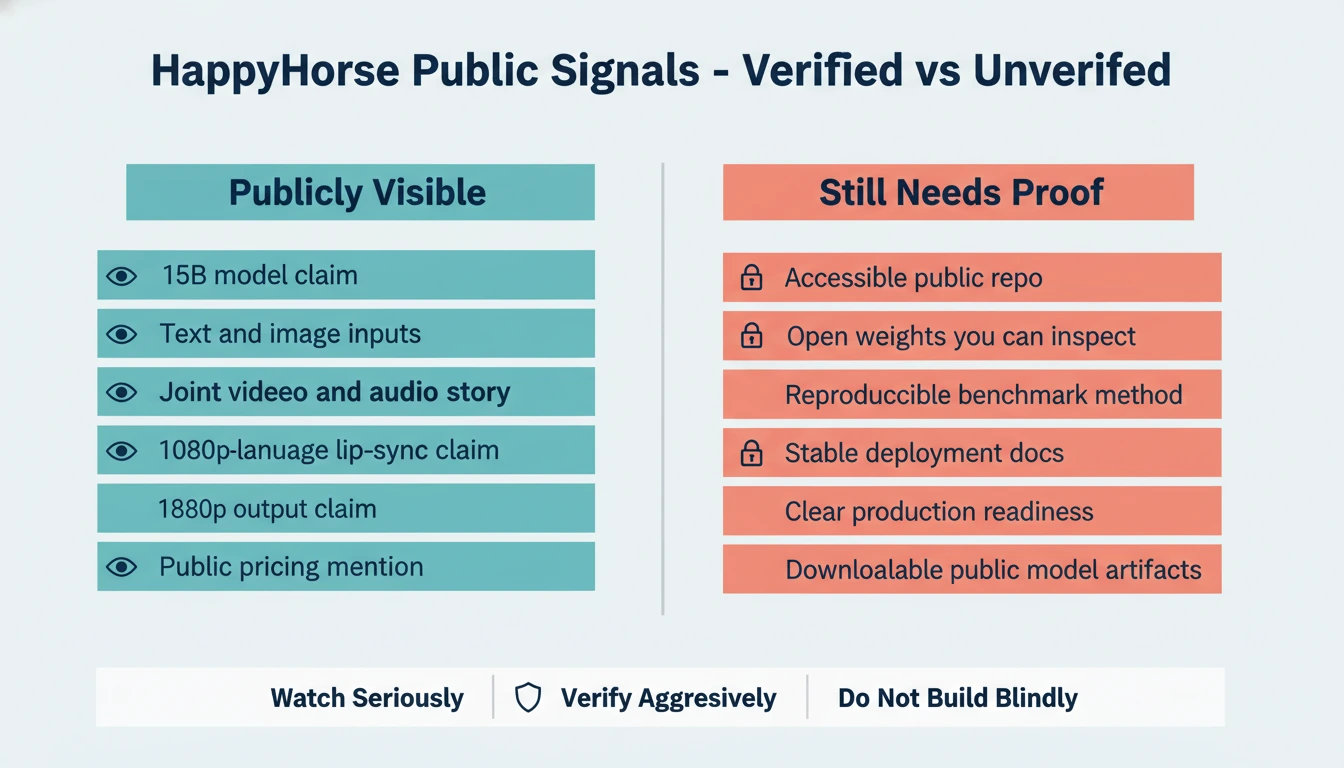
This distinction matters because creators often collapse two separate questions into one.
The first question is:
- Does the project present a coherent and technically plausible product story?
The second question is:
- Can I independently validate, download, reproduce, and operate it today?
HappyHorse currently scores better on the first question than the second.
That does not kill the project. It simply changes the right action. If you are a researcher or investor of attention, you watch it. If you are a creator with deadlines, you keep shipping with tools that already let you generate reliably.
Why HappyHorse Is Getting Attention
HappyHorse is getting attention because it bundles together several things creators want at the same time:
- open or at least open-leaning positioning
- multimodal generation instead of silent video-only output
- lip-sync support in multiple languages
- self-hosting language instead of pure SaaS dependence
- benchmark framing that suggests it can compete with known open video efforts
That mix lands directly on the current market tension. A lot of creators want the quality improvements of the newest video systems, but they do not want to be trapped inside closed tools, unstable regional rollouts, or single-surface pricing models. HappyHorse is speaking directly to that desire.
There is also a second reason it is spreading: the project describes a workflow that sounds operationally complete. Many video model pages still force you to assemble the stack yourself. Generate video in one place. Add voice in another. Fix lip-sync somewhere else. Upscale later. Clean up timing by hand. HappyHorse is promising a more integrated path.
That is why the project feels important even before full public verification catches up. It is pointing at the workflow creators actually want.
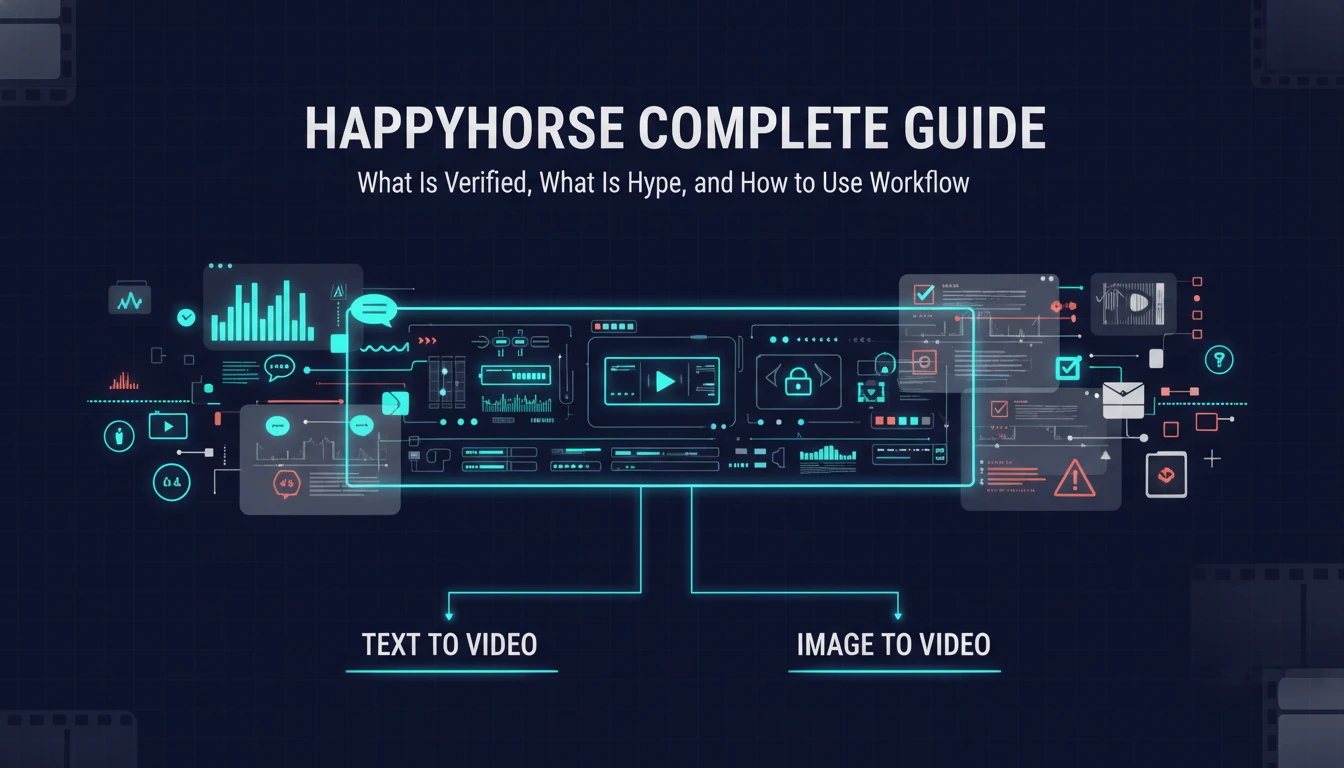
The Real Workflow Question: Text to Video or Image to Video?
Even if HappyHorse eventually delivers every public claim, most creators still need to make the same core workflow choice they already face today: do you start from language or from a frame?
That choice is more important than the model name.
| Workflow | Best starting point | What it gives you | Main weakness |
|---|---|---|---|
| Text to video | You have an idea, script beat, scene description, or camera direction but no fixed keyframe yet | Faster ideation, easier concept exploration, stronger prompt-led variation | Composition can drift when your mental picture is very specific |
| Image to video | You already have a still image, character frame, product render, storyboard frame, or hero shot | Better subject consistency, tighter art direction, easier animation of approved visuals | Less freedom for large scene changes unless the source frame is strong |
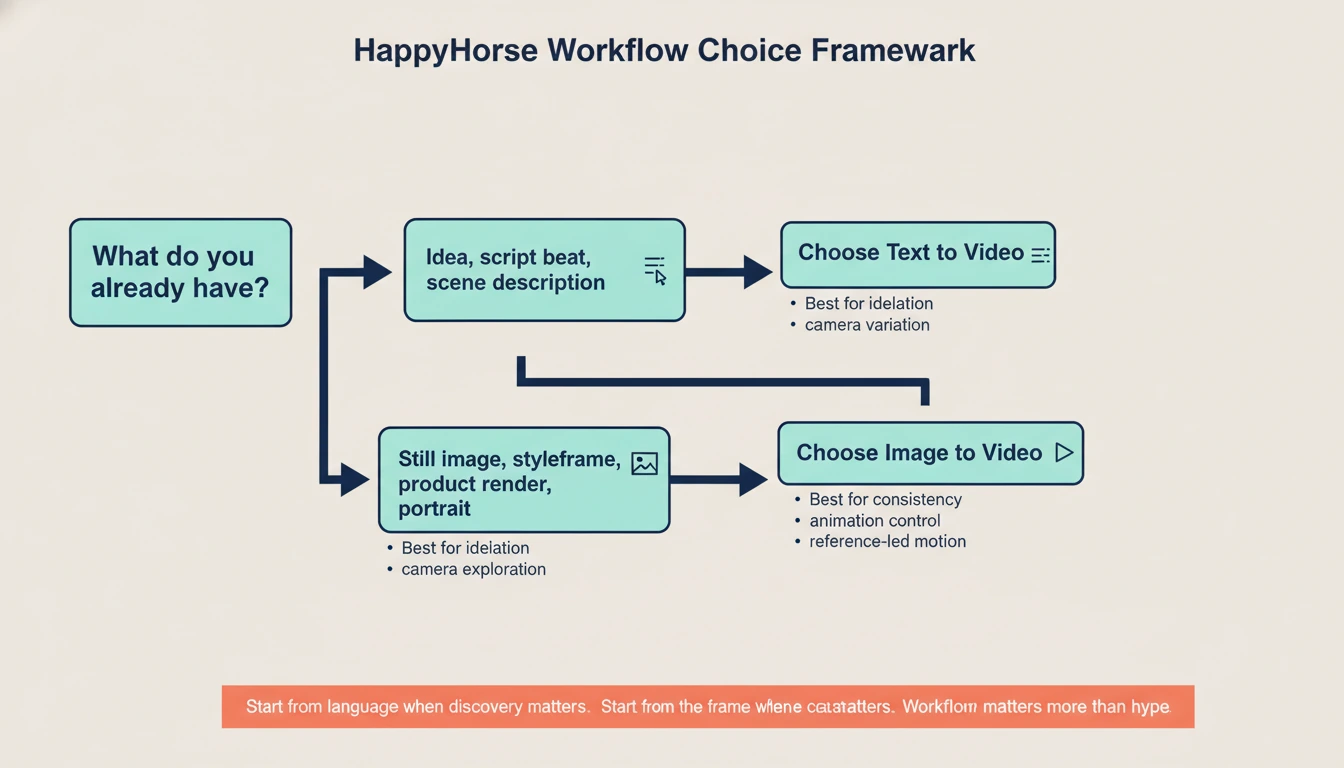
This is exactly where people get stuck when they chase a new model launch. They start thinking the new model itself is the workflow. It is not. The workflow still starts with the creative asset you already have.
Use text to video when:
- you are exploring multiple scene ideas quickly
- you need alternative camera setups from one written concept
- you are still discovering the visual direction
- you want to iterate on mood, action, or narrative beats before locking a frame
Use image to video when:
- you already have a strong still image
- you need the character, product, or composition to stay close to a reference
- you are animating a key art frame, ad visual, portrait, or storyboard panel
- visual consistency matters more than open-ended discovery
HappyHorse may eventually support both paths in a single ecosystem. For most creators, that does not change the decision tree. It only changes which model executes it.
Where HappyHorse Looks Strongest on Paper
If the public positioning is directionally true, HappyHorse would be most compelling in a few specific scenarios.
1. Dialogue-driven short video
Joint video and audio generation plus multilingual lip-sync is the standout combination. If those features work at the level implied by the site, HappyHorse would be much more interesting than another silent clip generator with fancy benchmark charts.
That matters for:
- talking avatar content
- short explainers
- multilingual creator videos
- product intros with on-screen speech
- dialogue-first social content
2. Open or self-hosted experimentation
A lot of teams do not just want good output. They want infrastructure they can inspect, tune, benchmark, and possibly deploy on their own GPUs. That is the reason the open-source angle matters so much.
If HappyHorse really ships usable weights, inference code, and distillation options, it becomes relevant not only to creators but also to:
- applied AI teams
- research groups
- studios with privacy constraints
- companies testing internal media pipelines
3. Stronger image-to-video style control
The project claims text and image input support. In practice, models that support image-driven generation can become far more useful for commercial work than text-only systems, because image-first workflows are easier to control.
That is why even before HappyHorse becomes fully verifiable, it is useful to pressure-test your own process through an image to video workflow. If your production logic depends on starting from approved stills, styleframes, product art, or character references, image-led animation is the more transferable workflow.
Where the Current Public Story Still Feels Fragile
This is the part many launch articles skip. The weaknesses are not necessarily model weaknesses. They are trust and operability weaknesses.
Public artifact mismatch
The current public materials speak with the confidence of a fully launched technical product. The public repository path does not currently support that confidence. If a project wants to lead with open-source credibility, accessible artifacts are not optional.
Benchmark confidence gap
Benchmark tables on their own are easy to publish. Reproducible evaluation details are harder. Until there is a clearly inspectable report, stable code access, or third-party reproduction path, benchmark numbers should be treated as directional claims rather than settled facts.
Ambiguous readiness for production adoption
A model can be real, impressive, and still not ready for dependable production use. Teams with deadlines care about:
- stable access
- documented failure modes
- rate predictability
- reproducible environments
- visible update cadence
HappyHorse does not yet expose enough public operating surface to score highly on those points.
What Creators Should Do Right Now
If you are curious about HappyHorse, the best move is not to argue about whether it is overhyped or underrated. The best move is to de-risk your workflow now.
Use this decision table:
| Your situation | Best move now |
|---|---|
| You mainly need concept exploration from prompts | Build around a reliable text to video workflow and keep HappyHorse on your watchlist |
| You already have concept frames, product stills, or portraits | Build around image to video and test new models only when they offer better consistency |
| You care about open infrastructure more than near-term publishing | Track HappyHorse closely and wait for accessible weights, code, and reproducible docs |
| You need publishable assets this week | Do not center your content calendar on a model with incomplete public verification |
This is the practical lens missing from most launch coverage. You do not need to decide whether HappyHorse is the future. You only need to decide what helps you ship today without closing the door on better tooling tomorrow.
Where to Watch HappyHorse Coverage
If you want to monitor how the project is being surfaced in public-facing directories and launch-style pages, the English launch note HappyHorse is here is a better reference point. Treat it as a discovery surface, not as a substitute for inspectable code, stable weights, and reproducible deployment artifacts.
A Better Way to Evaluate HappyHorse Once More Public Artifacts Arrive
When HappyHorse exposes more public infrastructure, these are the tests that will matter most:
- Can a logged-out user reach the real repo, docs, and model page without dead ends?
- Are weights, inference scripts, and deployment instructions consistent across every public surface?
- Does the text-to-video path actually obey cinematic prompts at a useful level of consistency?
- Does the image-to-video path preserve subjects and composition under motion?
- Is the synchronized audio genuinely usable, or does it still require heavy cleanup?
- Are multilingual lip-sync claims visible in public demos beyond curated snippets?
- Can a creator or engineer reproduce the published performance claims on disclosed hardware?
Until those questions are answered, the right stance is informed interest, not blind adoption.
FAQ
Is HappyHorse open source right now?
HappyHorse is publicly presented as open source with commercial-use permission, but the current public repository path is not accessible in a direct check. The open-source claim is visible. The open public artifact chain is still incomplete.
Is HappyHorse text-to-video or image-to-video?
The current public site presents it as both. That is part of why the project is attracting attention. The more useful question is which workflow matches your inputs today: text to video for prompt-led ideation or image to video for reference-led animation.
Is HappyHorse ready for production use?
It may become production-relevant, but the current public verification level is not strong enough to recommend it as the center of a deadline-sensitive pipeline.
What is the biggest reason people care about HappyHorse?
It combines open-model positioning with synchronized audio, multilingual lip-sync, and both text and image input. That is a much more attractive workflow story than another silent video model with one benchmark screenshot.
What should I use while waiting for HappyHorse to mature?
Use a workflow-first approach. Start with text to video when the scene is still prompt-driven, and use image to video when you already have the frame you want to animate.
Final Verdict
HappyHorse deserves attention, but not blind trust. The public project story is strong enough to watch seriously and weak enough to verify aggressively.
If the model eventually delivers its current public claims with stable artifacts, it could become one of the more interesting open video projects in the market. Until then, creators should avoid turning launch-page excitement into production dependence. Build on workflows that already help you ship, keep your evaluation standards high, and treat HappyHorse as a promising project that still needs to close the proof gap.